Player
This section outlines commands used to manage player properties, specifically regarding defining the protagonist and handling custom name inputs.
Set Player
Designates a specific character as the player (the protagonist). This links the character to the internal player logic, allowing the system to track their name and attributes.
Syntax:
<<set_player [CharacterName]>>
Parameters:
| Parameter | Type | Description |
|---|---|---|
| CharacterName | text | The name of the character to set as the active player. |
Examples:
<<set_player "Hillary">>
Hillary: Yahoo!
Sets the character "Hillary" as the main character/protagonist.
Only one character can be set as the player at a time. Calling this command again will overwrite the previous player character.
Show Input Player Name
Triggers a user interface (UI) popup that allows the user to type in a custom name for the main character.
You must use the <<set_player>> command before calling this command to ensure the system knows which character is being renamed.
Syntax:
<<input_player_name [DefaultName] [InputTitle]>>
Parameters:
| Parameter | Type | Description |
|---|---|---|
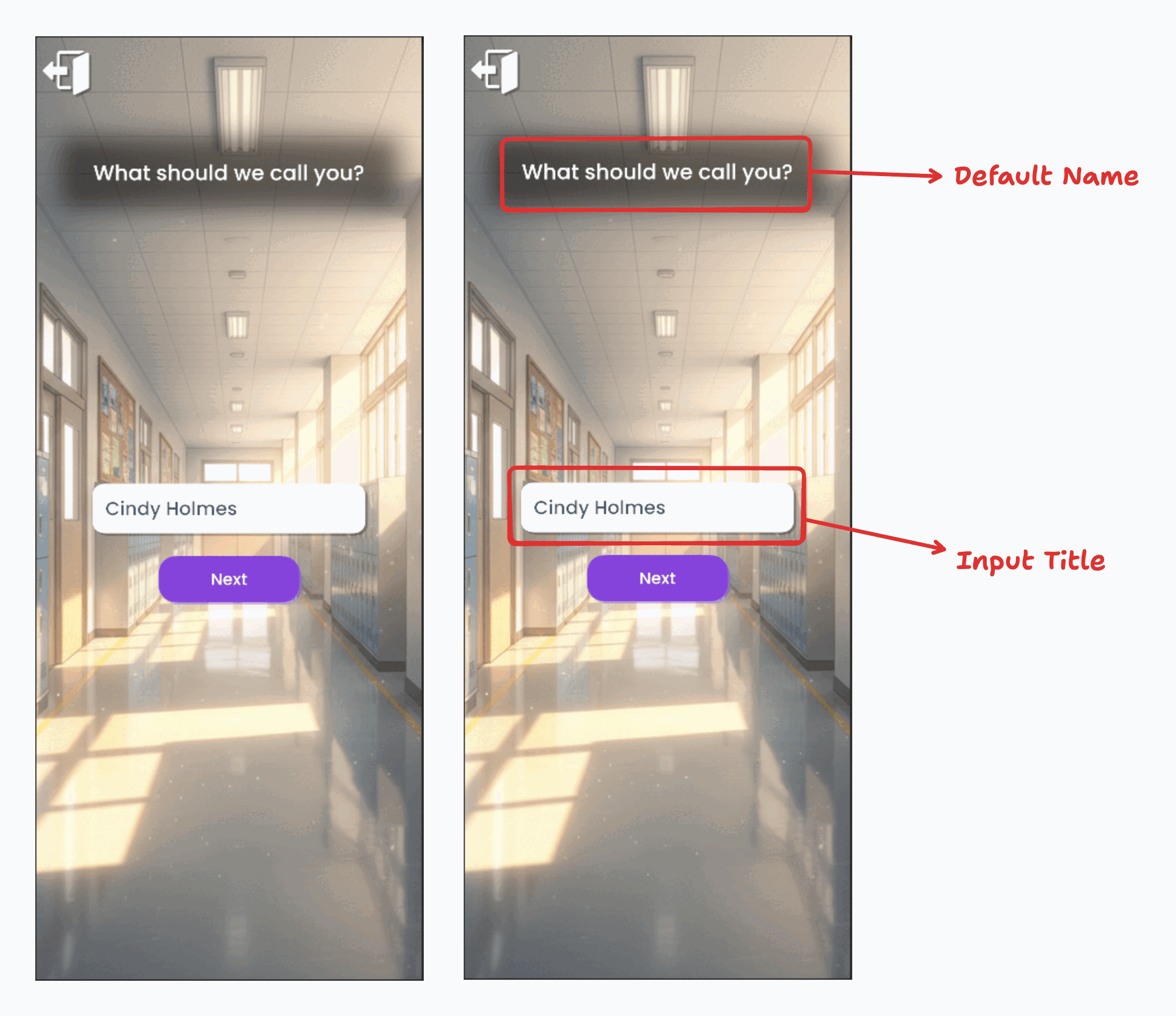
| DefaultName | text | The default text that appears in the input field before the user types. |
| InputTitle | text | The title or question displayed on the input UI (e.g., "What is your name?"). |
Examples:
<<input_player_name "Cindy Holmes" "What should we call you?">>
Opens the input UI with "Cindy Holmes" pre-filled, asking "What should we call you?".
Use Updated Player Name
Once the player has input their custom name, you can display it dynamically in the dialogue using a special variable syntax.
Syntax:
%player_name%
Examples:
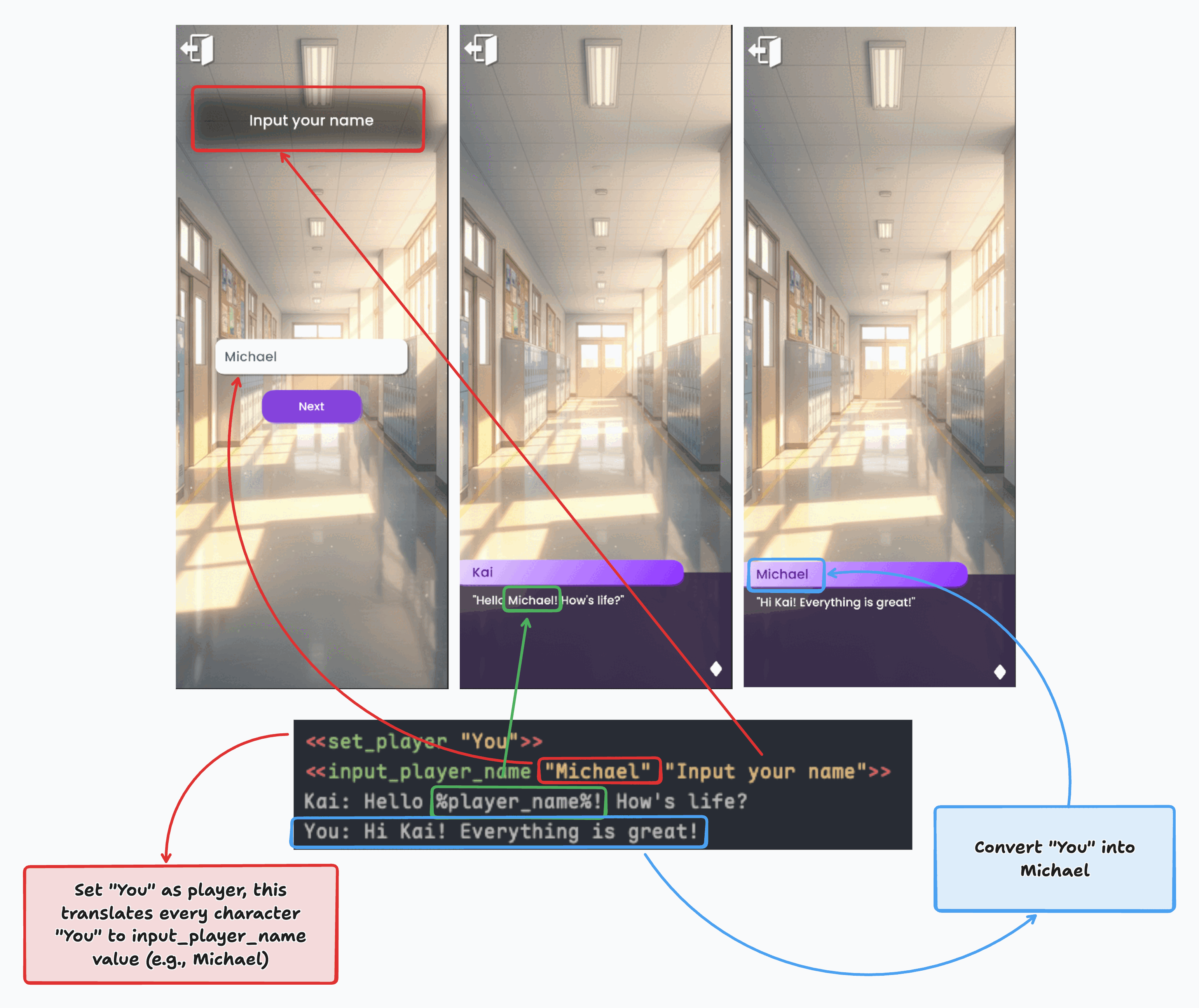
<<set_player "You">>
<<input_player_name "Michael" "Input your name">>

Kai: Hello %player_name%! How's life?
You: Hi Kai! Everything is great!
In this scenario:
- The character "You" is set as the player.
- The user inputs a name (e.g., "Michael").
- When Kai speaks,
%player_name%is replaced with "Michael". - When the character "You" speaks, the name displayed in the nameplate will also automatically reflect the updated name ("Michael").