Internal App Sharing
This guide walks you through the process of uploading your game's build to Google Play's Internal App Sharing. This is a quick, straightforward way to distribute your test builds (.aab or .apk) directly to your quality assurance (QA) team and internal testers.
Step 1: Navigate to Internal App Sharing
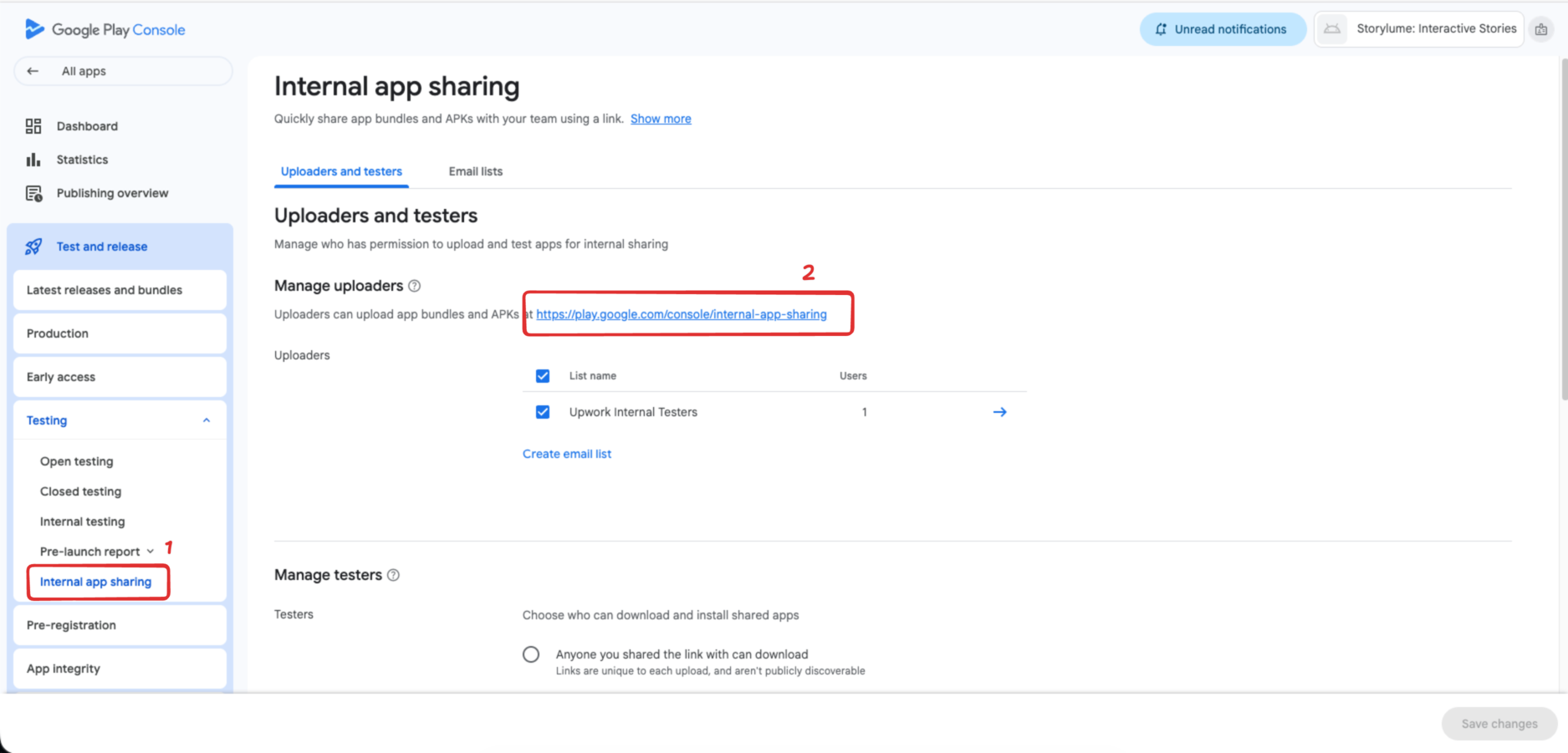
Log in to the Google Play Console and select your application. In the left-hand navigation menu, scroll down to the Test and release section, and then click on Internal app sharing.
Step 2: Access the Upload Portal
Look for the upload instructions on the page and click the provided portal link. It will usually say:
Uploaders can upload app bundles and APKs at https://play.google.com/console/internal-app-sharing
Step 3: The Upload Window
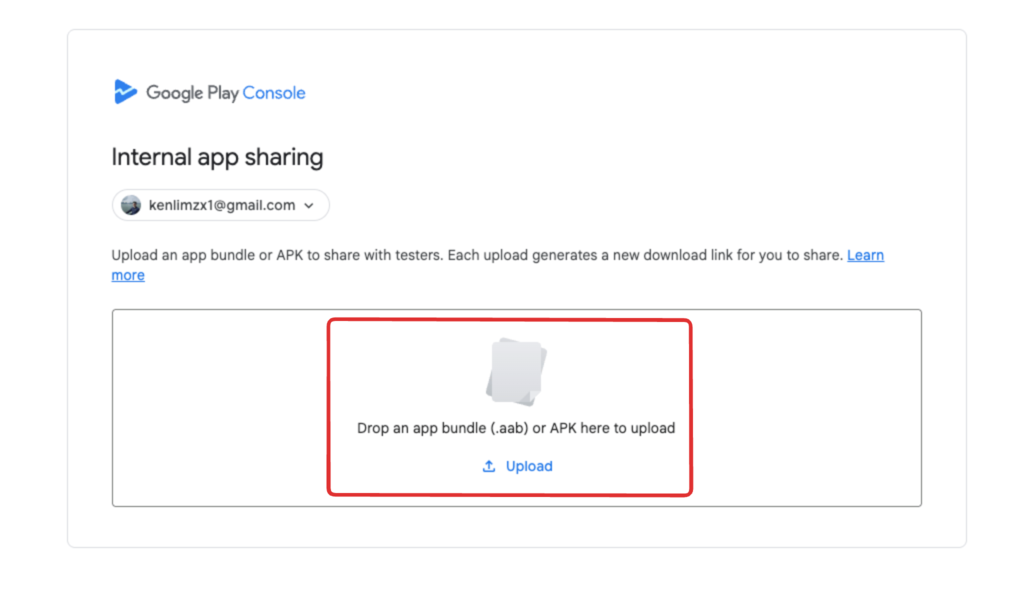
A new upload portal window will appear on your screen, looking similar to the example below.
Step 4: Upload Your Build
Drag and drop your Android build file (.aab or .apk) directly into the designated area, or click the area to browse through your computer's folders and select your file. Once the file is selected, submit it and wait for the upload to complete.
Once the upload finishes successfully and there are no errors, Google Play will generate a unique download link. Copy this link and send it to your testers so they can install and test your app!