Dress-Up Choices
Enable players to customize a character's appearance directly within the narrative flow. Whether it's choosing a new hairstyle or picking an outfit for a specific event, this feature seamlessly integrates visual changes with story choices.
Using specific tags, you can trigger a "Dress-Up" UI that allows players to preview items before making a selection.
Syntax
To initiate a dress-up sequence, apply the #dressup_choice tag to the line immediately preceding the options. Each option must then specify the item to be worn using the #dress tag.
[Line Text] #dressup_choice:[CharacterName],[Category]
-> [Option Text] #dress:[ItemName]
    [Response Text]
-> [Option Text] #dress:[ItemName] #cost:gem_[Amount]
    [Response Text]
To ensure the script triggers the correct assets in Unity, please adhere to these casing rules:
- CharacterName: Must be PascalCase (e.g.,
You,Alice,BestFriend). - ItemName: Must be snake_case (e.g.,
black_slack,prom_dress).
Parameters
| Parameter | Type | Options | Description |
|---|---|---|---|
| CharacterName | text | Valid Character Name | The specific character you want the player to customize. |
| Category | text | Hair, Outfit | Determines which customization slot acts as the target for the change. |
| ItemName | text | Valid Item Name | The specific Name of the item the character will wear if this option is chosen. |
| Amount | number | Any number | (Optional) The currency cost required to select this option. Currently, only gem currency is supported. |
Technical Setup Note
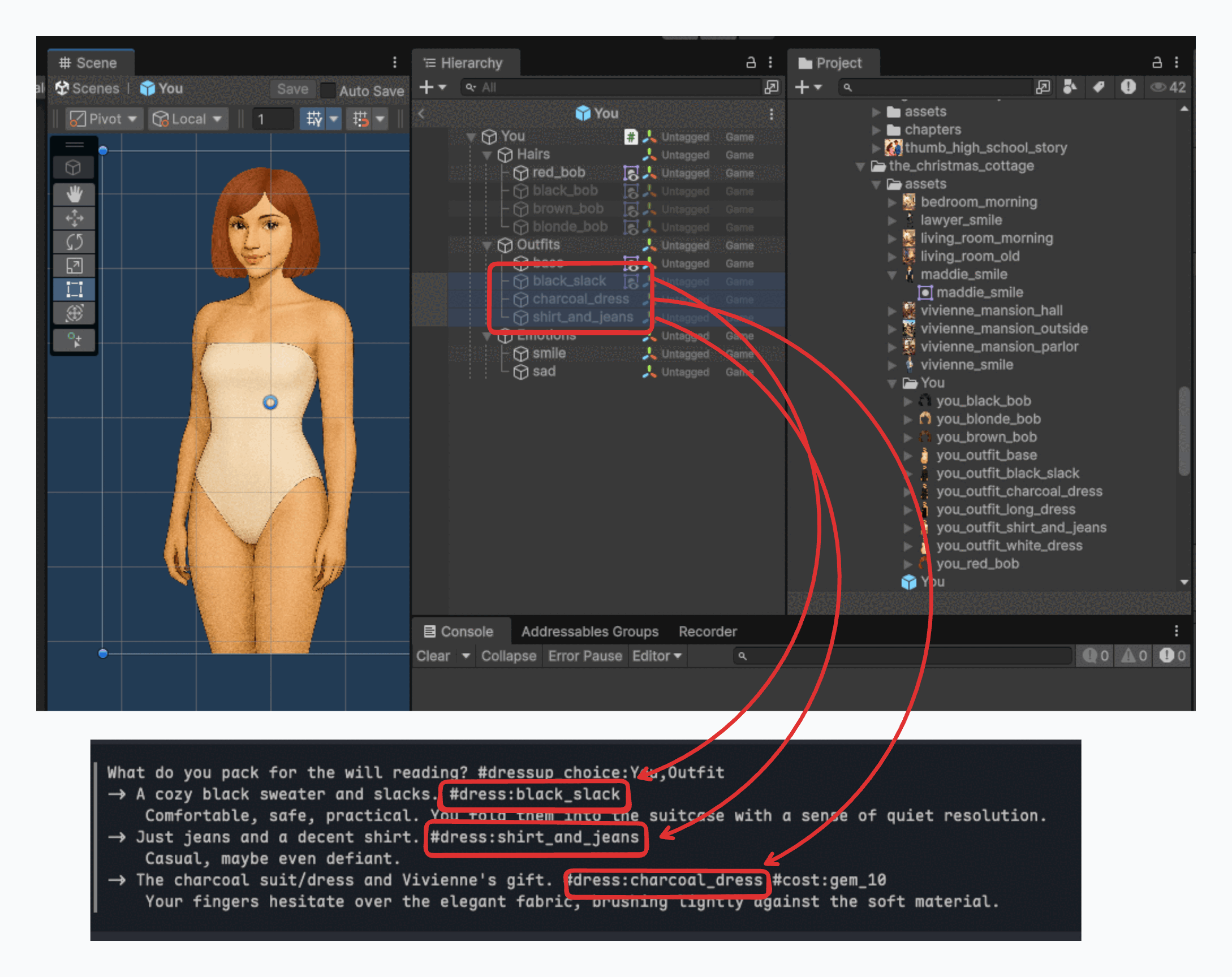
For the visual change to occur, the ItemName used in your script must match the name of the GameObject inside the character's prefab exactly.
Example:
If you use #dress:black_slack, there must be a GameObject named black_slack inside the character's prefab hierarchy.
Examples
The following snippet creates a scenario where the player (character "You") chooses an outfit for a will reading.
What do you pack for the will reading? #dressup_choice:You,Outfit
-> A cozy black sweater and slacks. #dress:black_slack
    Comfortable, safe, practical. You fold them into the suitcase with a sense of quiet resolution.
-> Just jeans and a decent shirt. #dress:shirt_and_jeans
    Casual, maybe even defiant.
-> The charcoal suit/dress and Vivienne's gift. #dress:charcoal_dress #cost:gem_10
    Your fingers hesitate over the elegant fabric, brushing lightly against the soft material.
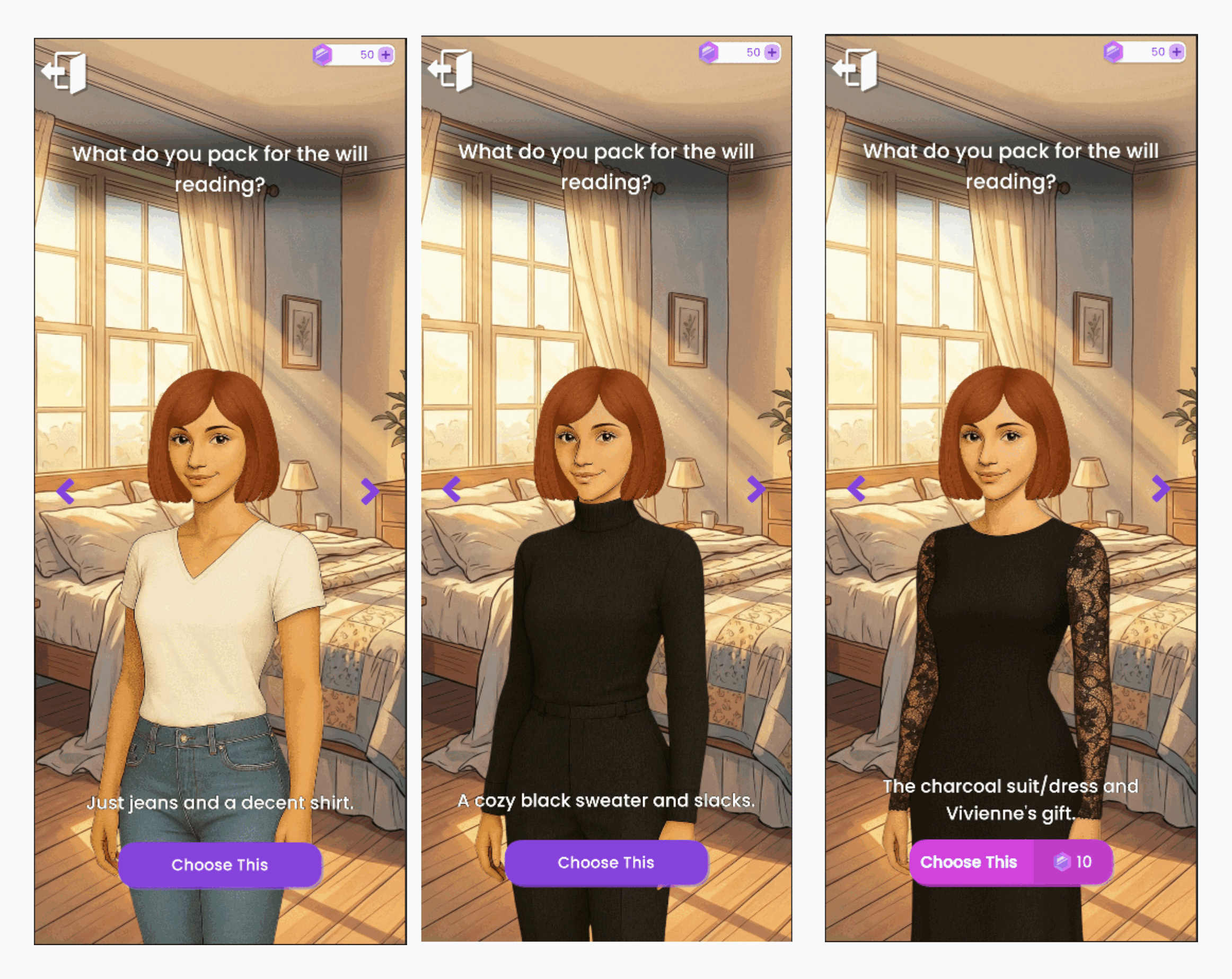
Result: This script triggers the Dress-Up UI for the character You in the Outfit category. Three options are displayed:
- Black Slack: A standard free option.
- Shirt and Jeans: A standard free option.
- Charcoal Dress: A Premium Option. The player must spend 10 Gems to unlock and select this outfit.
Visual Preview: