In-App Products
To monetize your game, you will need to set up In-App Products (IAP) for players to purchase.
Currently, our system exclusively supports One-Time Products (non-renewing purchases).
Creating a New Product
To create an in-app product inside the game, navigate to the shop folder within your Unity project:
Assets > _Main > Shop
Inside this folder, you will see your existing shop configurations:
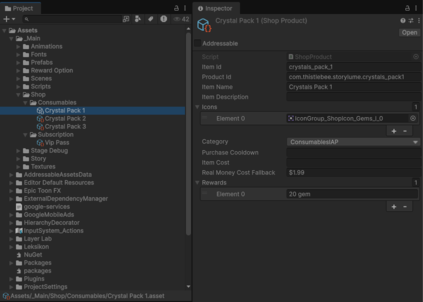
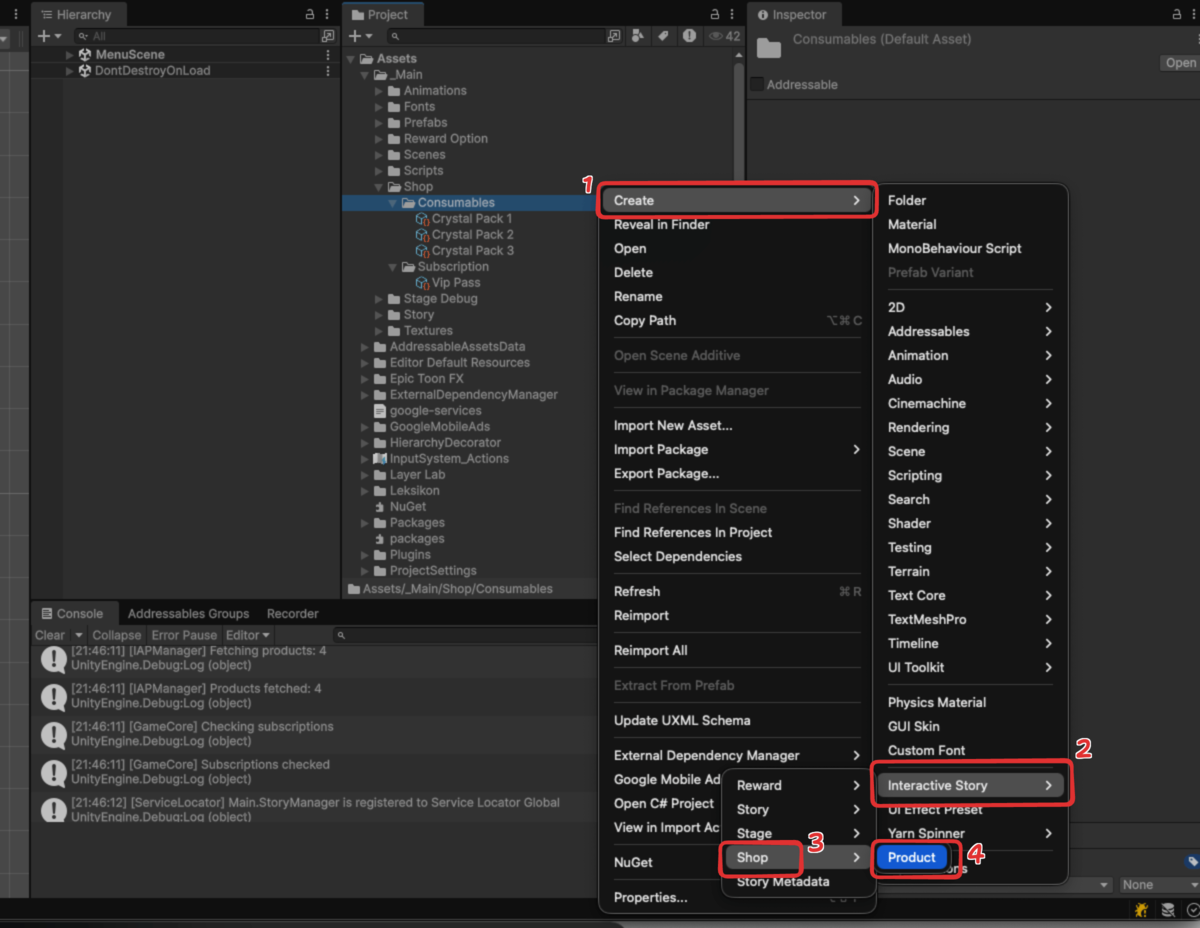
To generate a new product data file:
- Right-click anywhere inside the folder window.
- Select Create > Interactive Story > Shop > Product.
Data Properties
When you select your newly created shop product, the Inspector window will display several configuration fields. Here is a breakdown of what each property does:
| Parameter | Type | Options / Format | Description |
|---|---|---|---|
| Item Id | string | snake_case (e.g., starter_pack) | The unique internal identifier for this product. |
| Product Id | string | e.g., com.companyname.productname.productid | The exact product ID as it is set up in your Google Play Console. |
| Item Name | string | Any text | The display name of the product shown to the player. |
| Item Description | string | Any text | A short description detailing what the player gets. |
| Icons | List (Sprite) | Image asset | The visual icons for the item. Note: Currently, the system only uses the first sprite in the list. |
| Category | selection | ConsumablesIAP or SubscriptionIAP | The type of product, which must match your Google Play setup. |
| Purchase Cooldown | string | Time format (e.g., 1 day or 86400000) | The restock timer after a purchase. Can be written in plain English days or in milliseconds. |
| Item Cost | string | Numeric value | The base game currency cost. Note: Currently, we only support real money purchases. |
| Real Money Cost Fallback | string | e.g., $0.99 | The default text displayed if the game fails to fetch the live localized price from the app store. |
| Rewards | List (string) | <amount> <currency> | The actual items granted upon a successful purchase (e.g., 10 gems). |
Example Configuration
Once your in-app product is fully configured, the data inspector will render the settings clearly.
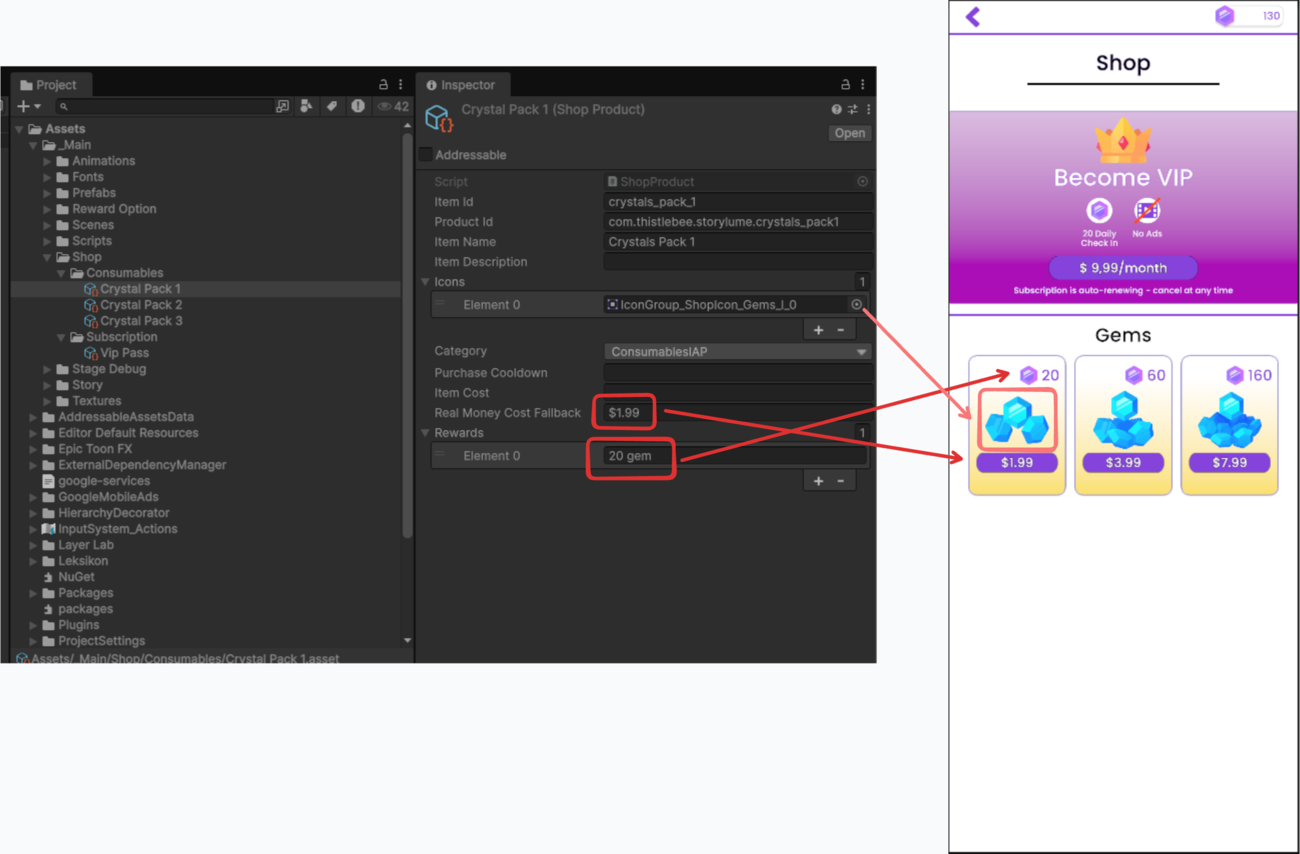
Here is a practical example of how you might fill out the fields for a basic currency pack:
Item Id: crystals_pack_1
Product Id: com.thistlebee.storylume.crystals_pack1
Item Name: Crystals Pack 1
Category: ConsumablesIAP
Real Money Cost Fallback: $1.99
Rewards:
  - Element 0: 20 gems
Creates a consumable product called "Crystals Pack 1" that rewards the player with 20 gems upon a successful $1.99 real-money purchase.