Structure
Each story needs a dedicated folder and subfolders. This organization tells the app where to find story content.
Steps:
- In Unity's
Projectpanel, navigate toAssets/_Main/Story/Content - Navigate into the folder, then right-click in the empty space and select
Create > Folder - Name the folder using your story title (no spaces - use underscores instead)
Eg:- Your story is titled "The Lost Treasure", name the folder
the_lost_treasure - Your story is titled "Raymond's Legacy", name the folder
raymond_s_legacy - Your story is titled "3 Musketeers", name the folder
3_musketeers
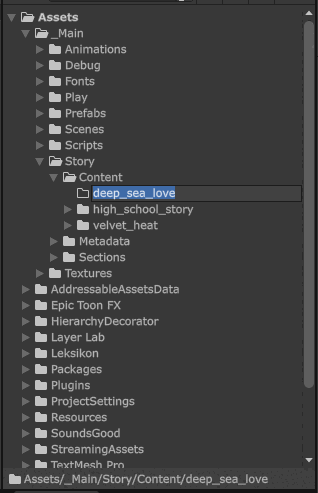 \
tip
\
tipFolder names are case-sensitive — use the exact capitalization shown above.
- Your story is titled "The Lost Treasure", name the folder
- Click into your new story folder
- Create two subfolders named exactly:
assets, andchapters

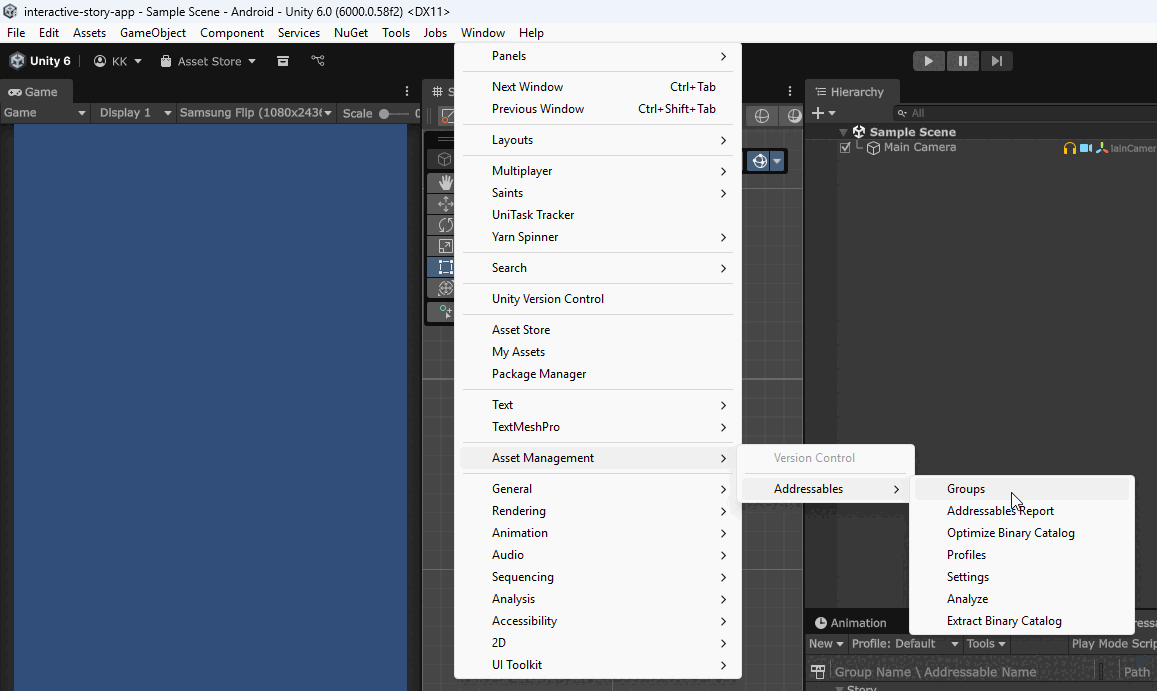
- Open Addressable Group Window via
Window > Asset Management > Addressables > Groups
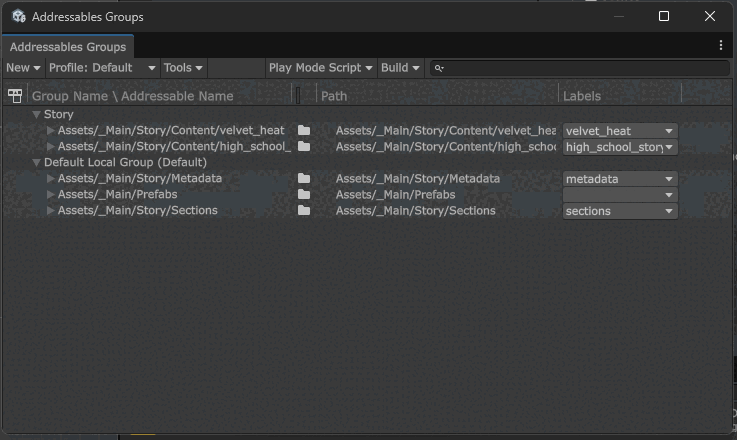
- You should see a window like this:
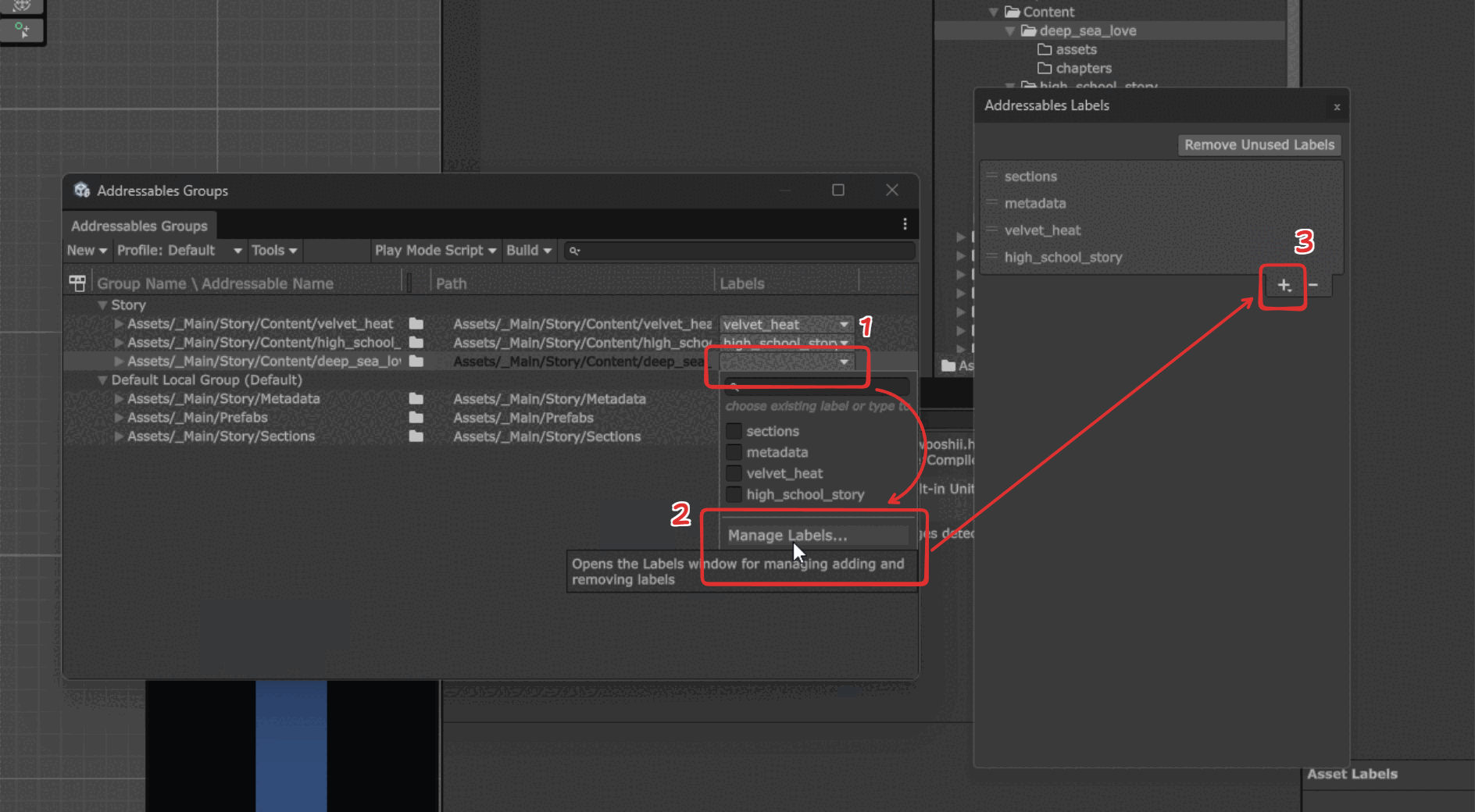
- Drag your new story folder into the
StoryAddressable Group
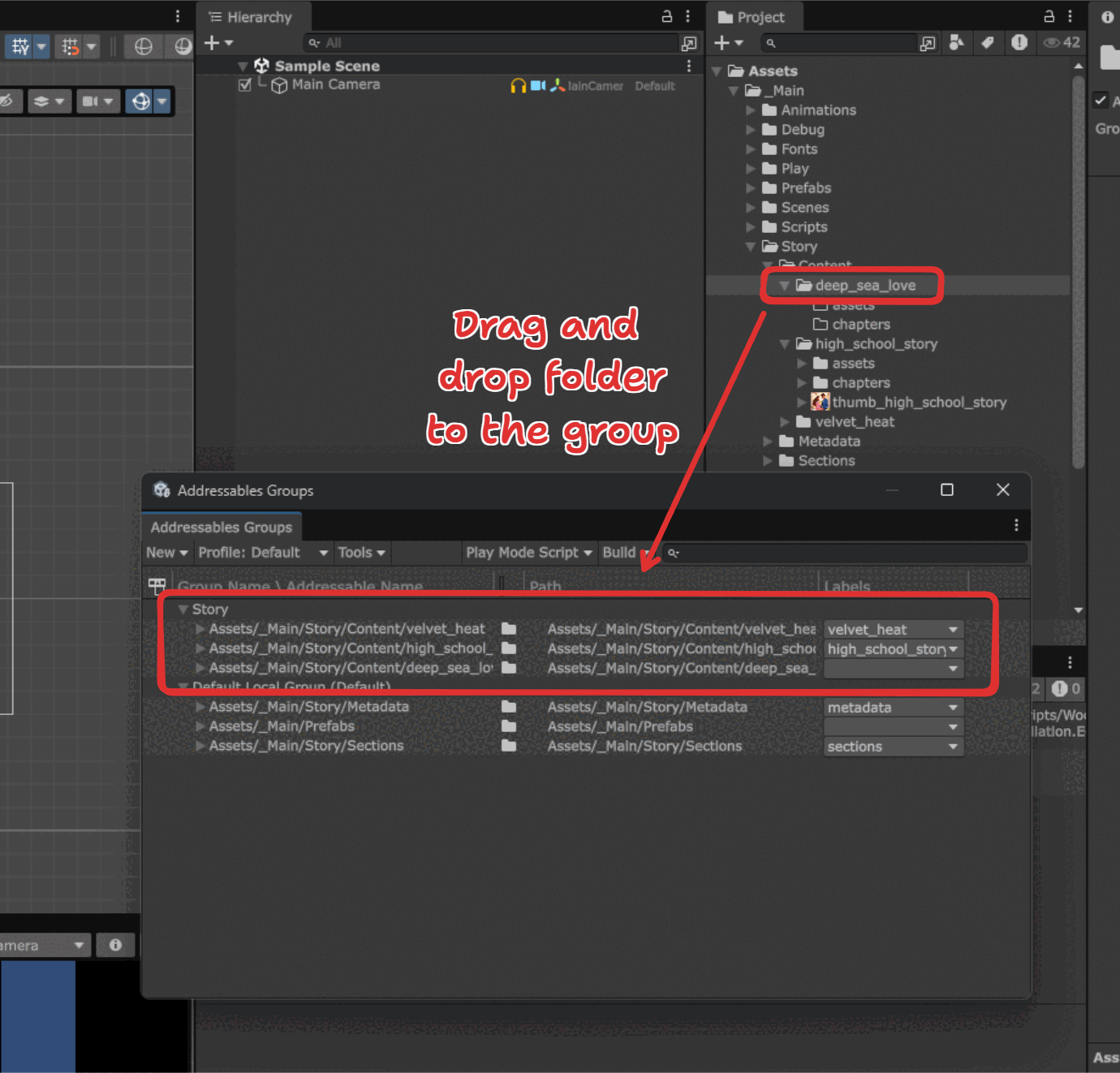
- Click the label column of the folder, and select Manage Labels. Then click on the
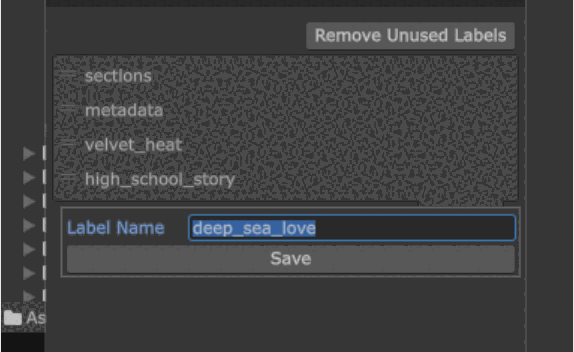
+button. Create a new label similar to your story folder name.
Eg:the_lost_treasure,raymond_s_legacy,3_musketeers
The app automatically searches these specific folder names when loading stories.